KTL Inspections
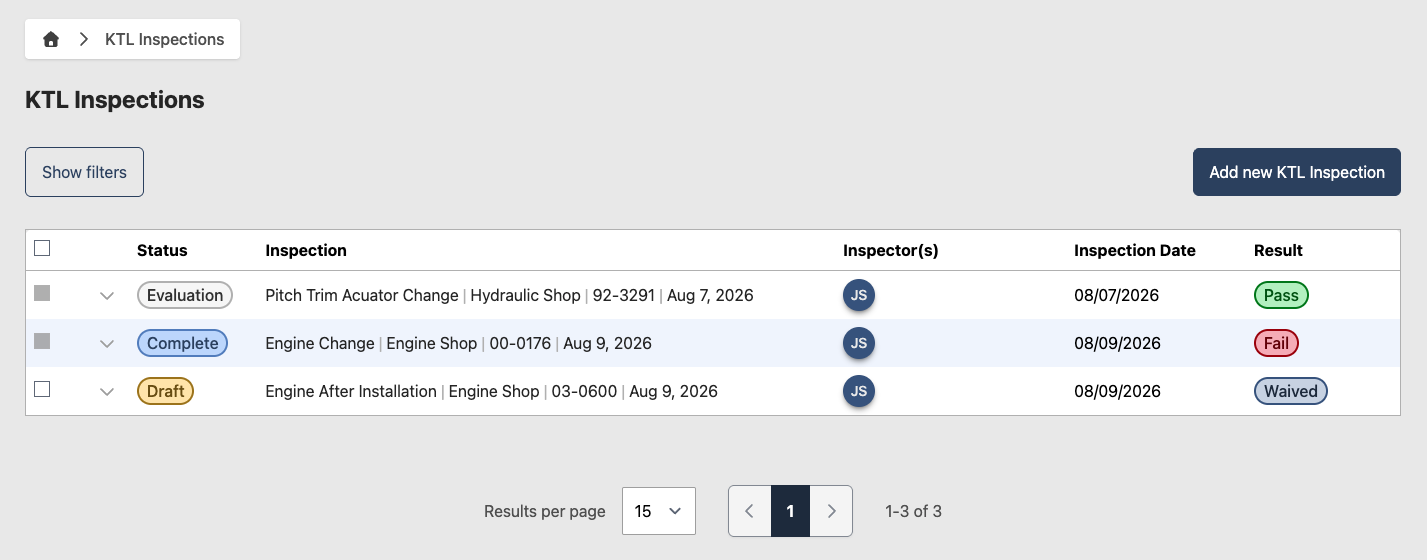
The Key Task List (KTL) is an Air Force, MAJCOM, or unit developed list of required inspections that cover tasks that are complex and tasks affecting safety of flight. KTL items are typically triggered by unforeseen component failures or other maintenance events, so they are unscheduled and are not tied to the E&I Plan.
When a shop performs a maintenance action tied to a KTL item, the shop must call in QA to evaluate it. QA tracks every KTL inspection that is called in, waived, or completed.
Configure KTL settings
This section only applies to Tenant Admins. Before your Chief Inspectors can record KTL inspections, set up the KTL-specific configuration. KTL inspections have their own finding categories, inspection types, and finding reasons that are separate from standard inspection configuration.
- Add KTL Finding Categories
- Add KTL Inspection Types
- Add KTL Finding Reasons
Once complete, go to Inspections > KTL Task List to begin creating KTL inspection tasks.
Add a KTL inspection
- Go to Inspections > KTL Inspections
- Click Add new KTL Inspection
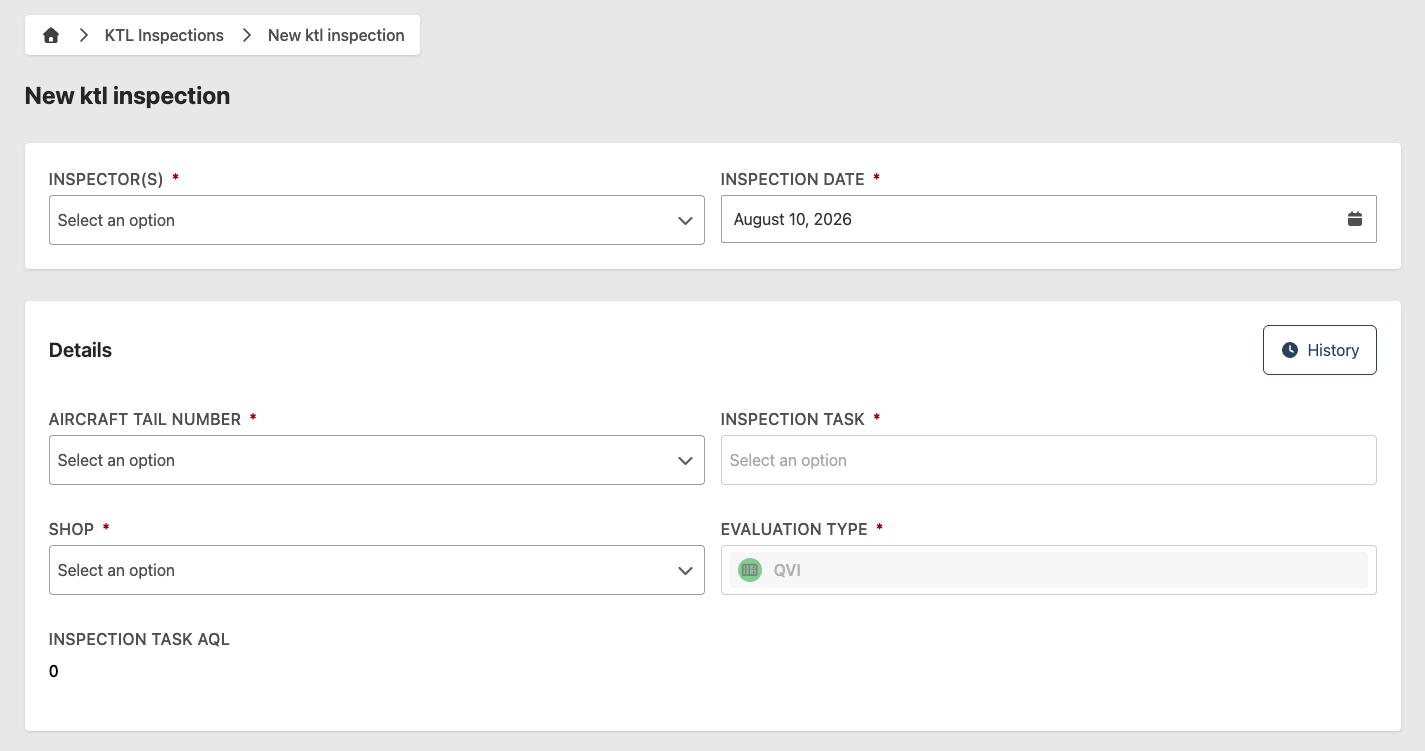
- Enter the following information:
- Inspector(s) (required) — inspector(s) conducting the inspection
- Inspection Date (required) — date the inspection was conducted
- Aircraft Tail Number (required) — the aircraft associated with the maintenance action
- KTL Task (required) — the KTL item being evaluated
- Inspection Type (required) — select the appropriate inspection type
- Shop (required) — the shop responsible for the maintenance action
- Personnel (required) — personnel involved in the maintenance action
- Supervisors — populated automatically based on the selected Shop
- Findings (optional) — add any findings discovered during the inspection
- Inspection Outcome — automatically calculated based on any findings and established AQL
- Attachments (optional) — supporting files
- Comments (optional) — additional notes
To save your work and return later, click Save Draft instead.
KTL inspections are mandatory call-ins. A shop must notify QA any time it performs a maintenance action or function listed on the KTL.
Waive a KTL inspection
The MXG/CC or an MXG-designated waiver authority can waive a KTL inspection instead of QA performing it.
- Go to Inspections > KTL Inspections
- Select the KTL inspection to waive
- Click Waive
- Enter the following information:
- Waiver Authority (required) — the individual authorizing the waiver
- Waiver Reason (required) — justification for waiving the inspection
- Click Confirm to mark the inspection as waived
QA maintains the list of MXG-designated KTL waiver authorities separately from individual KTL inspection records.
Review a KTL inspection
This section applies to users with the Chief Inspector role.
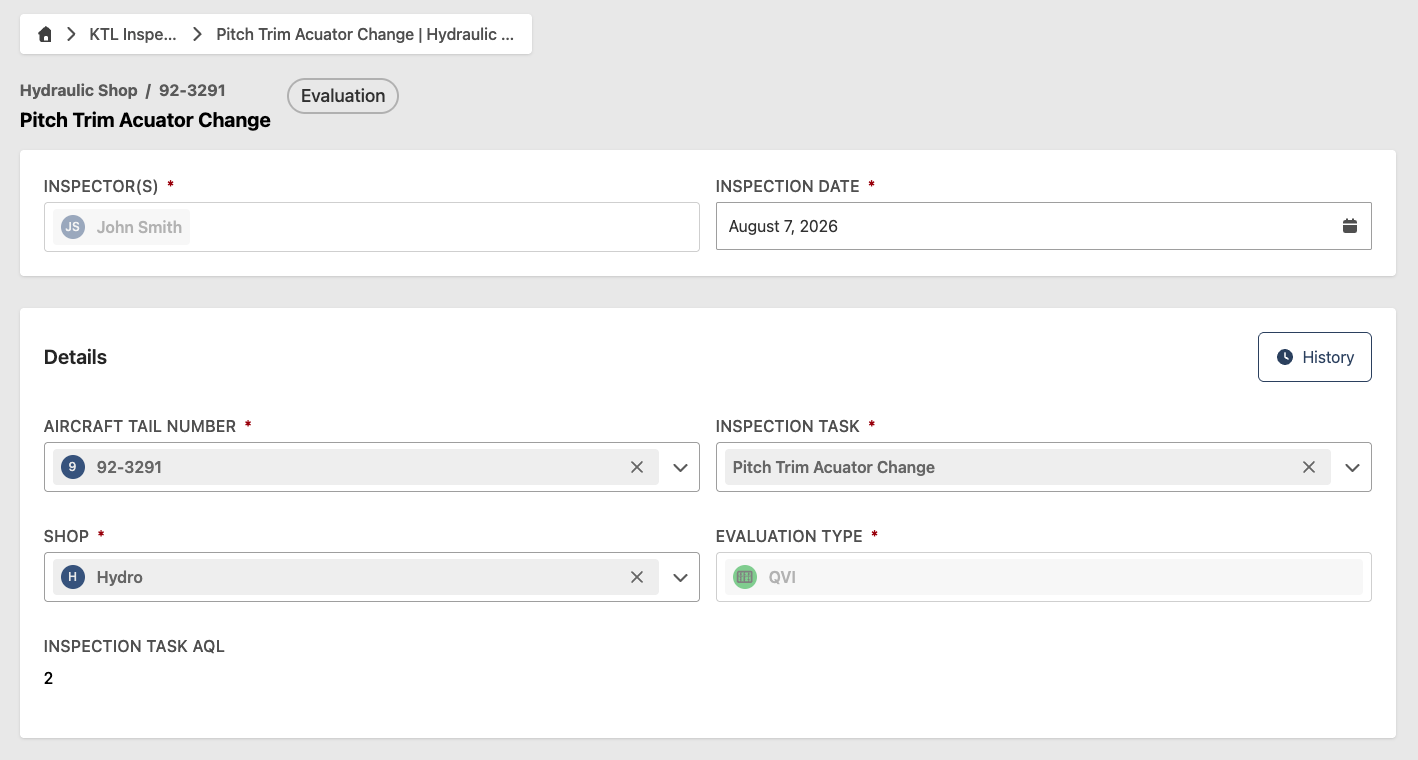
- Go to Inspections > KTL Inspections
- Select the inspection to review — inspections awaiting review will have an Evaluation status
- Review the inspection details, findings, and any comments
- Click Complete to finalize
A failed KTL inspection notifies the responsible Work Center's supervisors. See Notifications for details.
Marking a KTL inspection as Complete cannot be reversed.