Wing Configuration
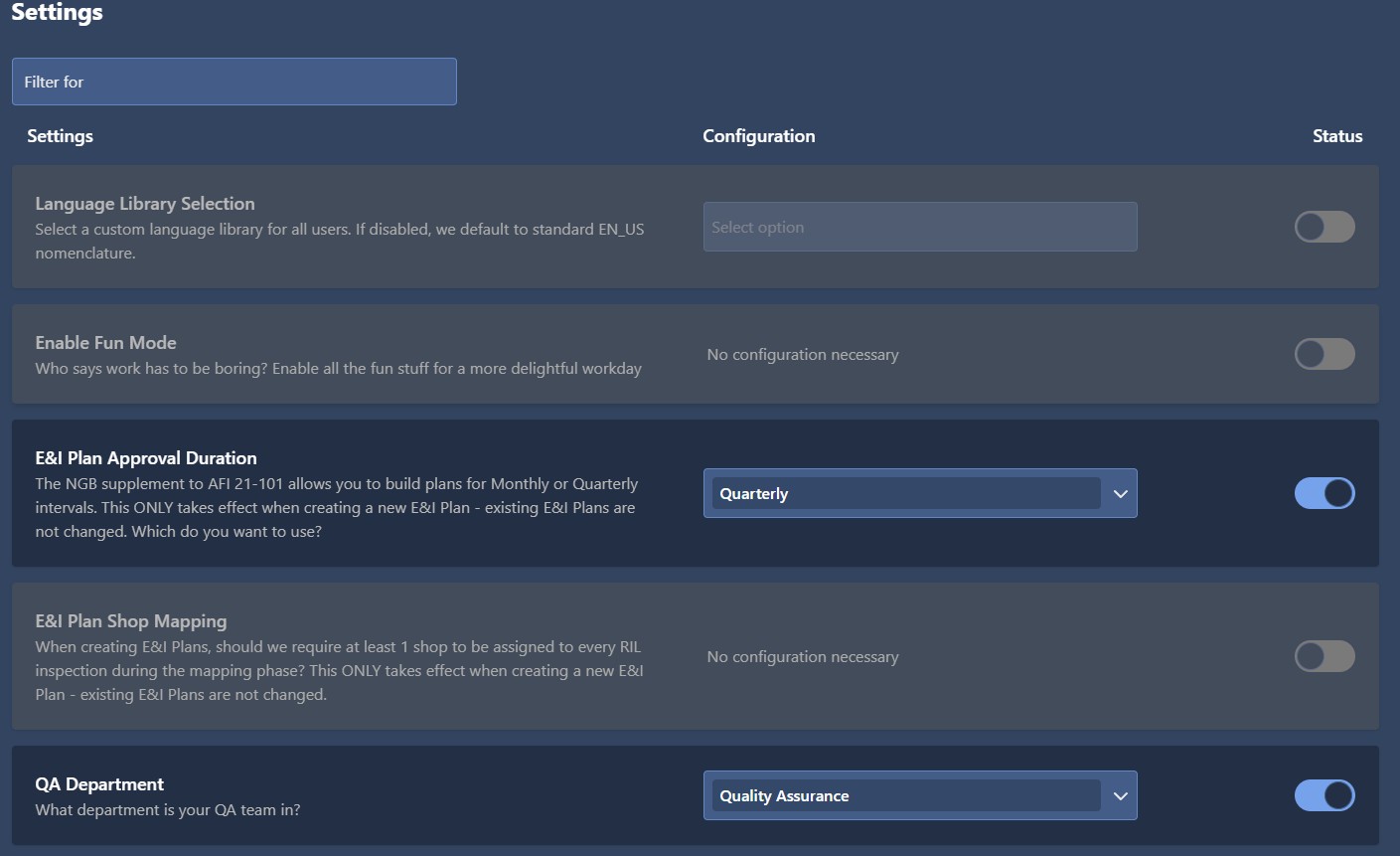
Wing settings are options unique to each Wing, allowing them to customize EQuAD for their specific operational needs. These settings include things like the language libraries EQuAD uses and the E&I Plan approval interval
To manage EQuAD settings for your Wing, go to the configuration page and click the Settings button in the Wing configuration section.
caution
The instructions below assume you have an Access Role that allows you to perform these actions. If you aren't able to follow the instructions as written, please check with your Admin to make sure you have the correct access.
These settings are specific to the Wing and can be adjusted to match its operational characteristics.
- Language Library Selection - Choose the relevant language library for the wing. The default setting is "EN-US".
- Enable Fun Mode - This setting is currently unavailable.
- E&I Plan Approval Duration - This setting allows you to configure E&I Plan approvals to either monthly or quarterly. Note that modifying this setting will only apply to new E&I Plan created after the change and will not impact existing plans.The default setting is “monthly”.
- E&I Plan Shop Mapping - When creating new E&I Plans, a minimum of one shop must be assigned to each inspection. Note that modifying this setting will only apply to new E&I Plans created after the change and will not impact existing plans. The default setting is “off”.
- QA Department - Designate the specific Shop where the Quality Assurance Department is located. The default setting is "Quality Assurance".