Shops
Shops represent the work centers and offices in your Wing. This includes both Shops that perform inspections and those that exist solely for management, review, and approval workflows.
Each Shop can be assigned a parent Shop, which EQuAD uses to establish the chain of command for notification routing, reviews, and approvals. Build your Shops from the top down, starting with your highest-level management office and working down to individual work centers.
Go to Configuration > Shops to manage your Shops. You'll need the appropriate access role to add, edit, or remove a Shop.
Add a Shop
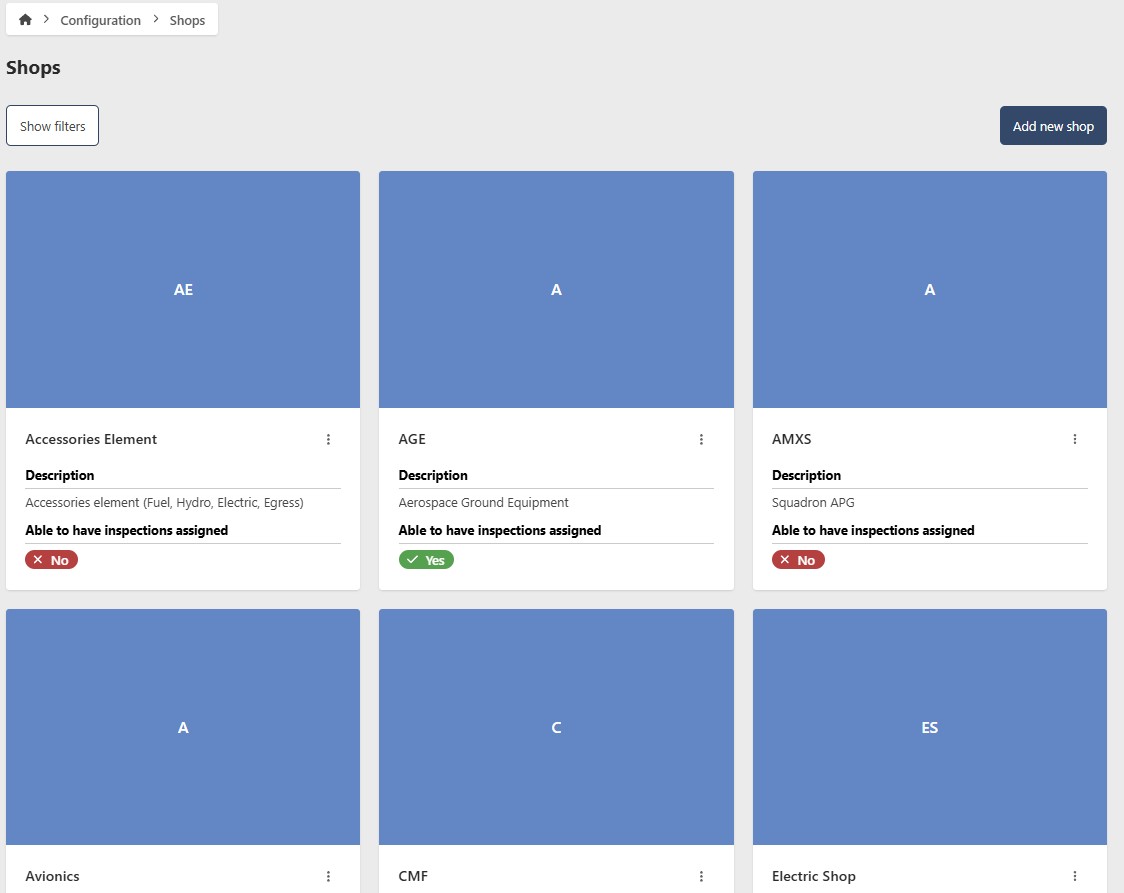
- Go to Configuration > Shops
- Click Add new Shop
- Enter the following information:
- Name (required)
- Description (optional)
- Parent Shop (optional) — assigns this Shop to a higher-level office in your chain of command. Used for notification routing, reviews, and approvals
- Able to have inspections assigned — enable this for work centers that perform inspections. Leave it off for management offices that only participate in reviews and approvals
- Update Image (optional)
- Click Add new Shop

Edit a Shop
- Go to Configuration > Shops
- Click the contextual menu (⋯) next to the Shop and click View Shop
- Click Edit
- Update the following fields as needed:
- Name (required)
- Description (optional)
- Parent Shop (optional)
- Able to have inspections assigned
- Update Image (optional)
- Click Save Shop
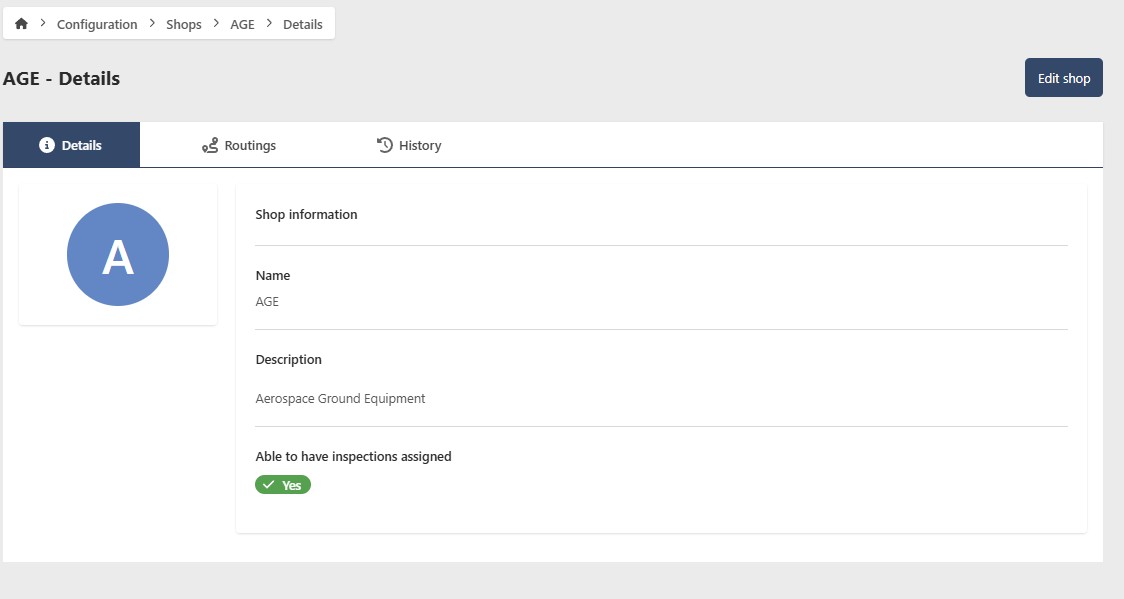
Remove a Shop
- Go to Configuration > Shops
- Click the contextual menu (⋯) next to the Shop and click View Shop
- Click Edit, then go to the Management tab

Hide a Shop
To temporarily hide a Shop without deleting it, toggle Show/Hide to Hide. To restore it, filter by Hidden status, open the Shop, and toggle Show/Hide back to Show.
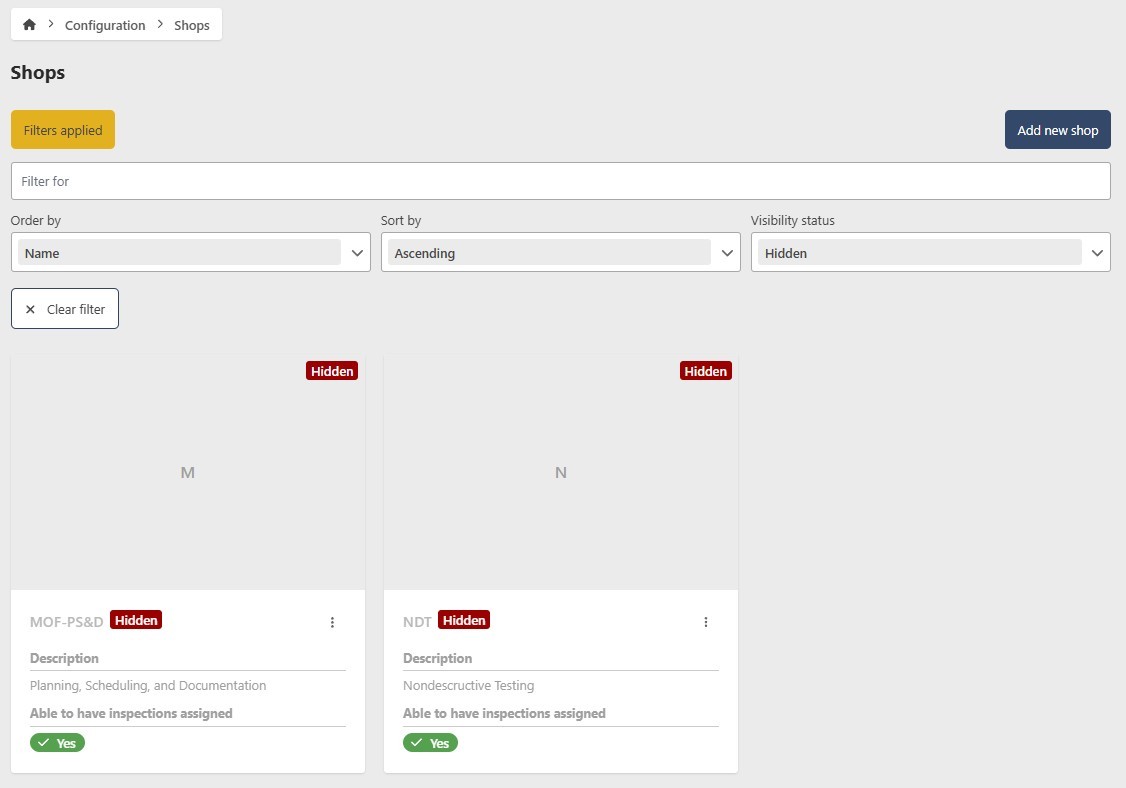
Permanently remove a Shop
This action cannot be undone. Consider hiding the Shop instead if you may need it in the future.
- Click Remove
- Click Yes to confirm