Mission Design Series
Mission Design Series represent the aircraft types and weapon systems managed in EQuAD. A single Mission Design Series can be associated with one or more Wings, and this assignment can be made from either the Mission Design Series or the Wing configuration screens.
Go to Configuration > Mission Design Series to manage your Mission Design Series. You'll need the appropriate access role to add, edit, or remove a Mission Design Series. Wings must exist before you can create a Mission Design Series.
Add a Mission Design Series
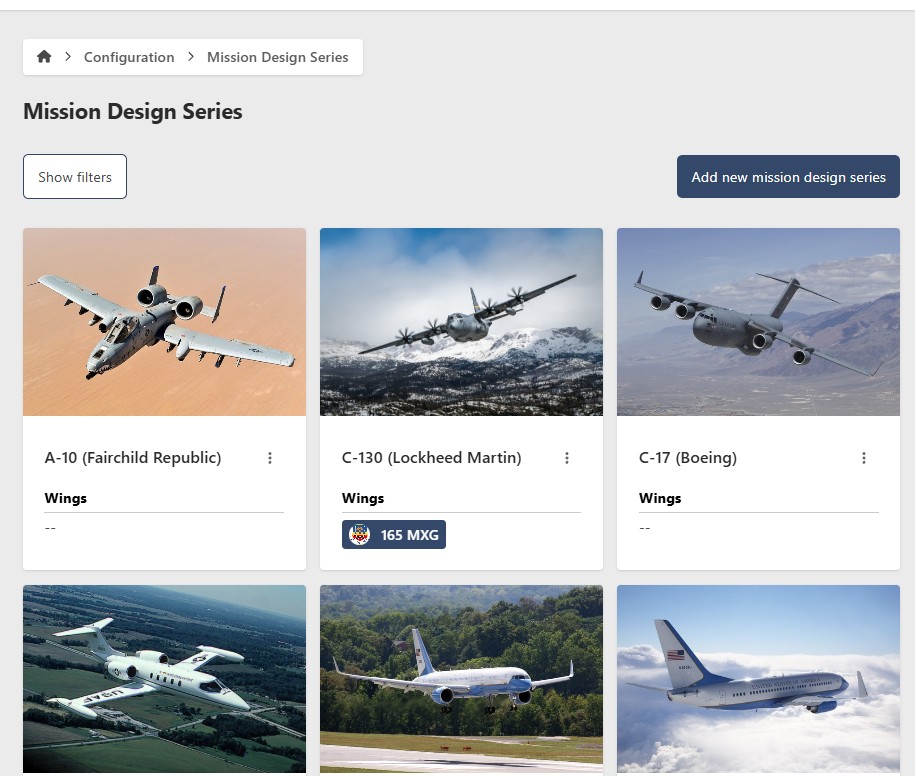
- Go to Configuration > Mission Design Series
- Click Add new Mission Design Series
- Enter the following information:
- Mission Design Series (required) — for example, C-17A
- Manufacturer (required) — for example, Boeing
- Assigned Wings (optional) — select one or more Wings to associate with this Mission Design Series
- Update Image (optional) — upload a custom image for identification
- Click Add new Mission Design Series

Edit a Mission Design Series
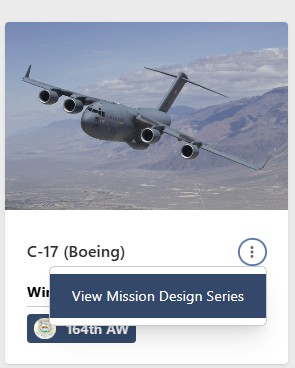
- Go to Configuration > Mission Design Series
- Click the contextual menu (⋯) next to the Mission Design Series and click View Mission Design Series
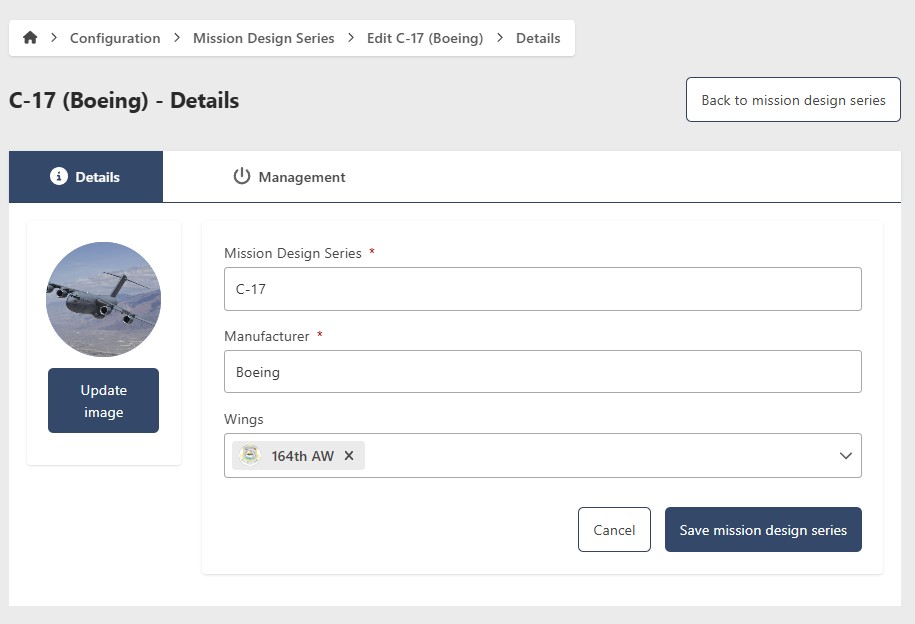
- Click Edit
- Update the following fields as needed:
- Mission Design Series (required)
- Manufacturer (required)
- Assigned Wings (optional)
- Update Image (optional)
- Click Save Mission Design Series
Remove a Mission Design Series
- Go to Configuration > Mission Design Series
- Click the contextual menu (⋯) next to the Mission Design Series and click View Mission Design Series
- Click Edit, then go to the Management tab

Hide a Mission Design Series
To temporarily hide a Mission Design Series without deleting it, toggle Show/Hide to Hide. To restore it, filter by Hidden status, open the Mission Design Series, and toggle Show/Hide back to Show.

Permanently remove a Mission Design Series
This action cannot be undone. Consider hiding the Mission Design Series instead if you may need it in the future.
- Click Remove
- Click Yes to confirm