Review and Approve an E&I Plan
Once an E&I Plan interval is sent for review, each responsible supervisor must review and acknowledge it before it can be approved. The review follows a hierarchical sequence starting at the work center level, proceeding to the squadron, and culminating in MXG approval. EQuAD EQuAD establishes this sequence based on the parent work center assigned to each Shop in the Shop configuration.
If a supervisor can't acknowledge in time, the parent work center can acknowledge on their behalf.
Each step in this process notifies the relevant supervisors or QA Chief Inspectors. See Notifications for details.
Review and approve an E&I Plan
- Go to E&I Plans in the main menu and open the plan you want to review
- From the contextual menu, select the interval you want to review
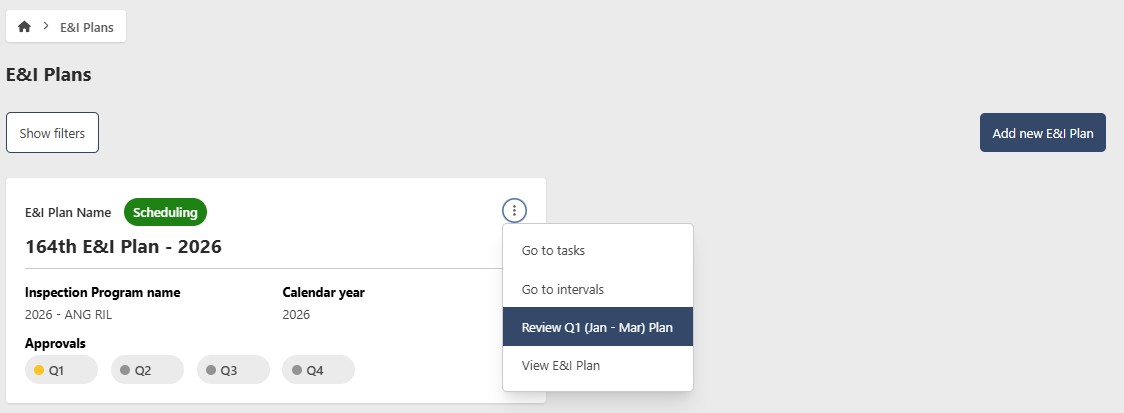
Alternatively, click Go to intervals from the contextual menu, then select Review Plan from the interval's contextual menu.
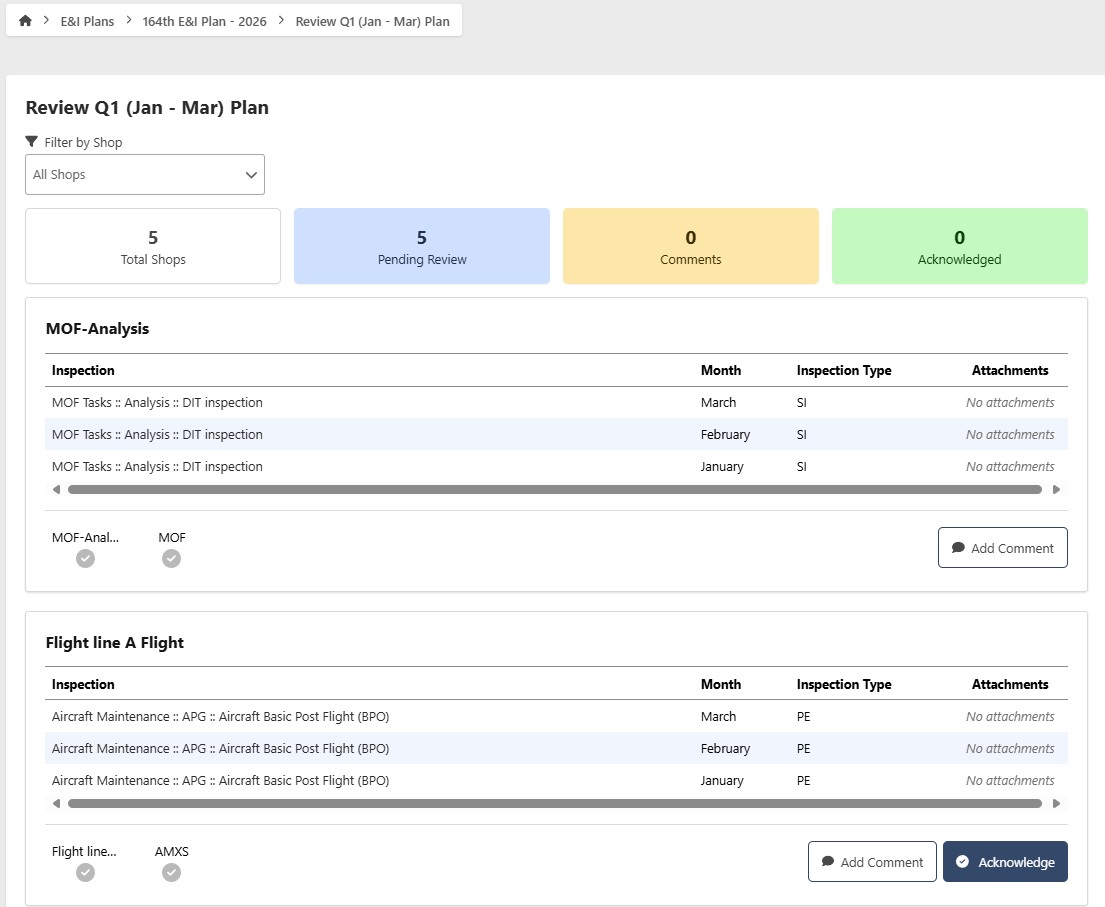
- Supervisors with the appropriate role will see an Acknowledge button for each work center under their responsibility, along with a comment field for feedback (up to 5,000 characters). Click Acknowledge to approve your portion.
The MXG can only approve the plan after all supervisors have acknowledged it.
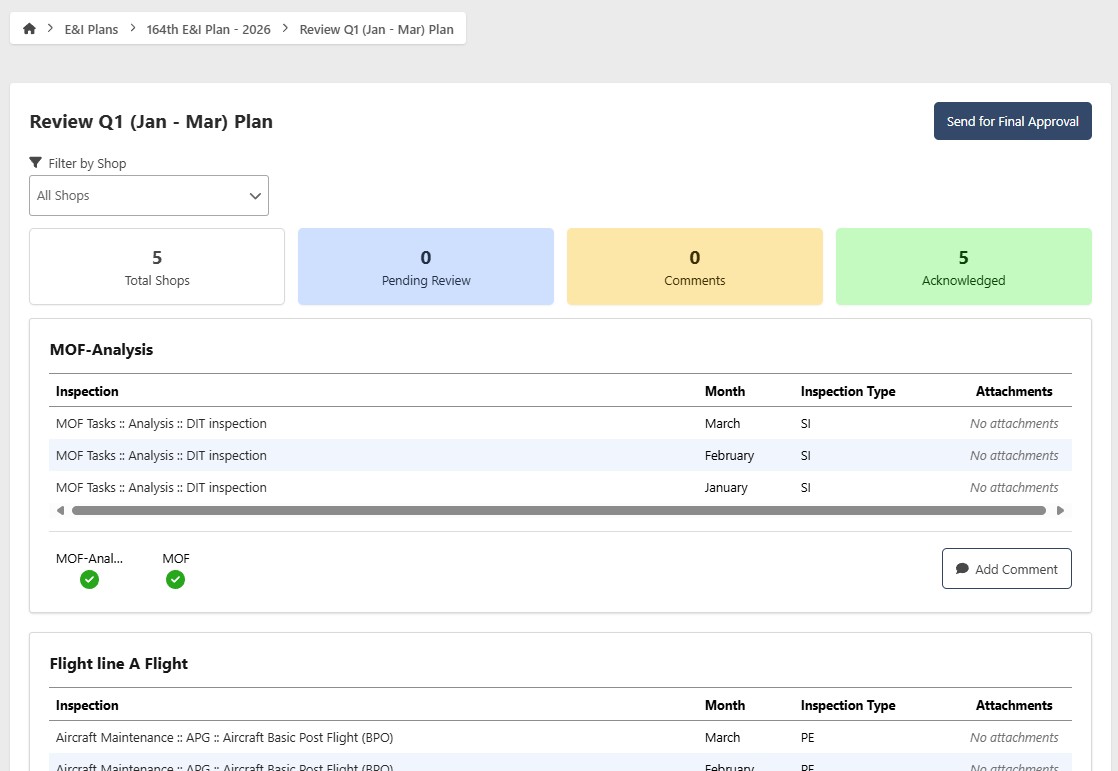
- Once all Shops have acknowledged, the Chief Inspector clicks Send for Final Approval
- The MXG approves the plan by clicking Approve Plan. Once approved, the plan status turns green.
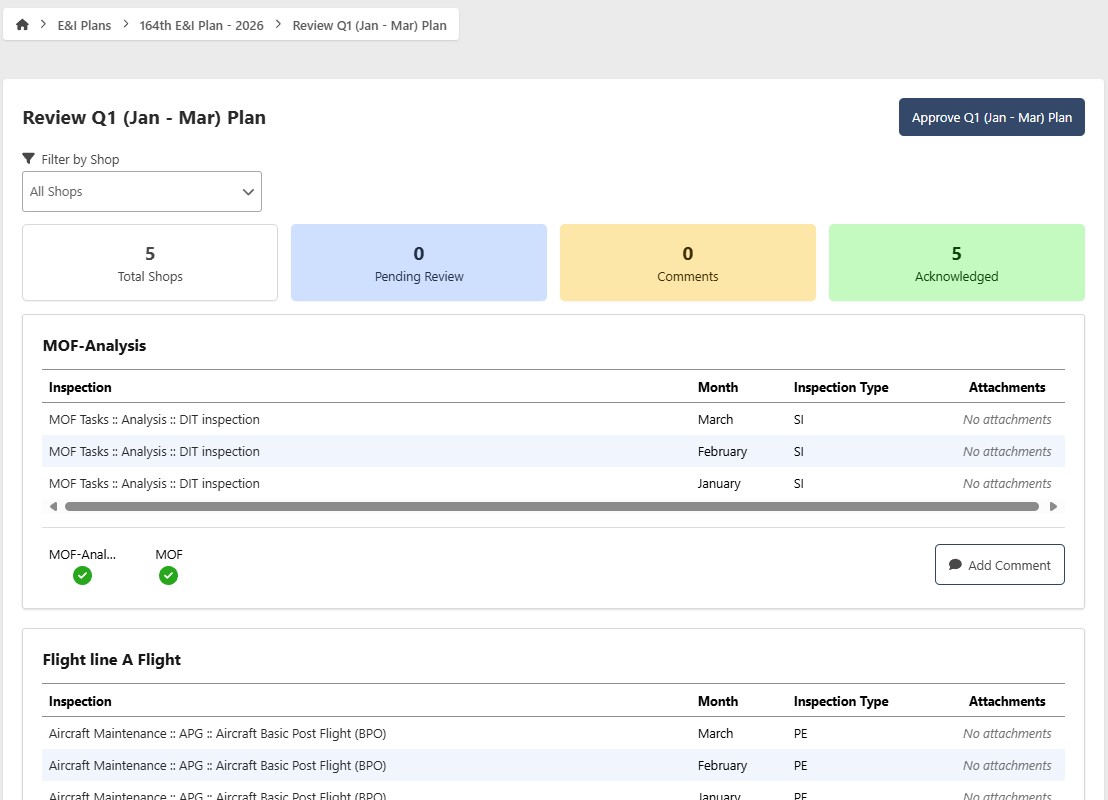
For subsequent E&I Plan periods, repeat this process for each new interval.