Edit Inspection Type Details
To update a Inspection Type, first locate the item on the Inspection Type configuration screen. Select the View Inspection Type in the contextual menu of the Inspection Type you want to update. Use the filter option at the top of the page to search for and find the item more easily.
caution
The instructions below assume you have an Access Role that allows you to perform these actions. If you aren't able to follow the instructions as written, please check with your Admin to make sure you have the correct access.

Select the Edit Inspection Type button.
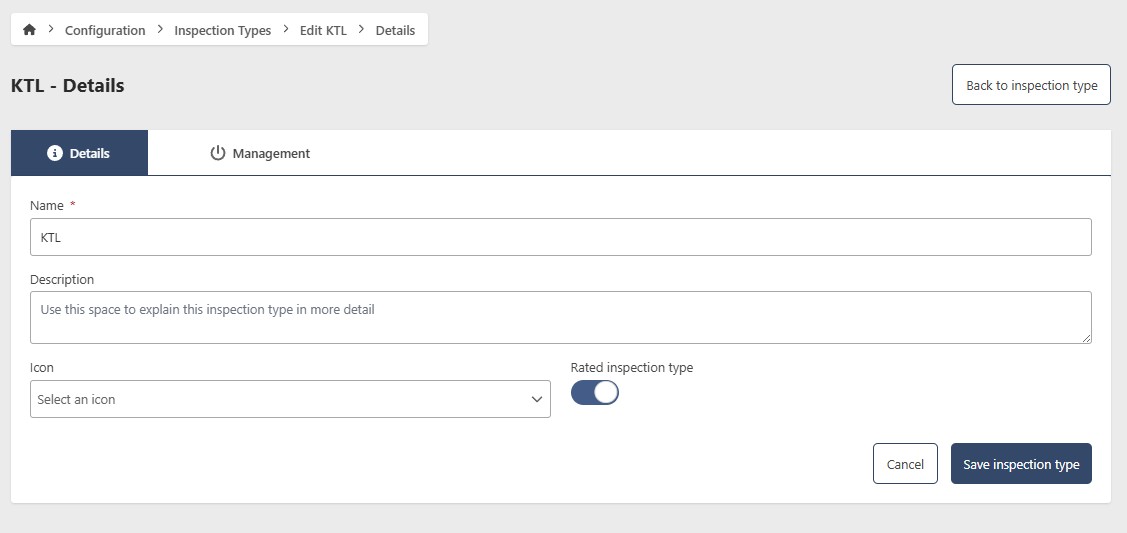
- Name (required)
- Description (optional)
- Icon (optional) - Choose an icon
When in edit mode, you can make updates similar to adding a Inspection Type. After making the updates, click the Save Inspection Type button.