Routing
Introduction to Routing
A Routing is a route that represents a connection between two Shops using a Routing Type
to reach to Routing, go to Configuration > Shop, select one Shop from the listing
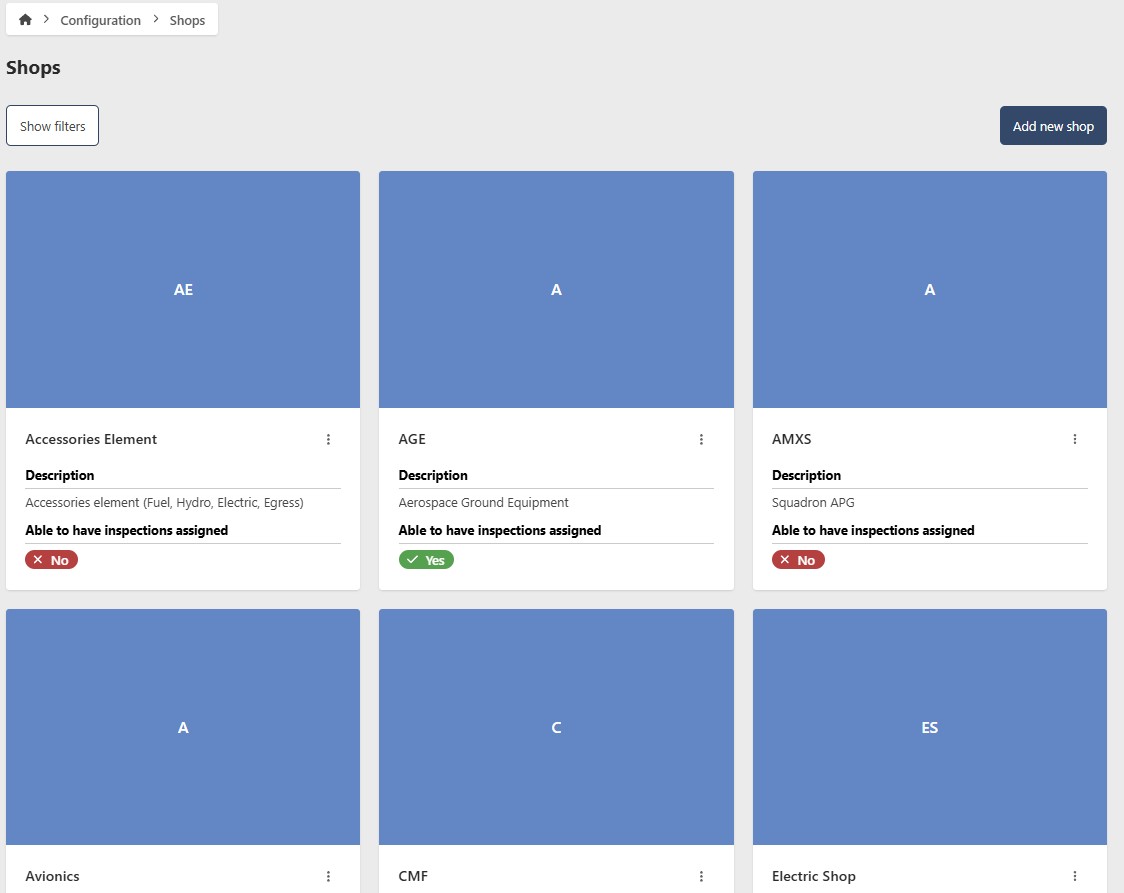
if you want start editing, click the edit Shop button, this will redirect you to the editable form of the Shop details, click the Routing tab once more.

- Shop: (Read Only) the Shop this Routing belongs to.
- Routing Type: the Routing Type of this Routing
- Routes to: the Shop this routing leads to
Add a new Routing
To add a new Routing, click on Add new Routing, this will generate a form with the required fields, fill in the required information.

fill in the required information and click on the checkmark button and the Routing will be created
you can click on the X button to cancel the operation
Edit Routing Details
To edit an existing Routing, click on the edit button at the actions column of the Routing you want to update.

change the information and click on the checkmark button and the Routing will be updated
Remove an Existing Routing
This is an irreversible operation, please proceed with caution
To remove an Routing, click on the edit button at the actions column of the Routing you want to update.
click on the red trash button and the Routing will prompt you to confirm if you are sure about this action, once you confirm one last time, it will delete the Inspection Area
