Publishing a RIL
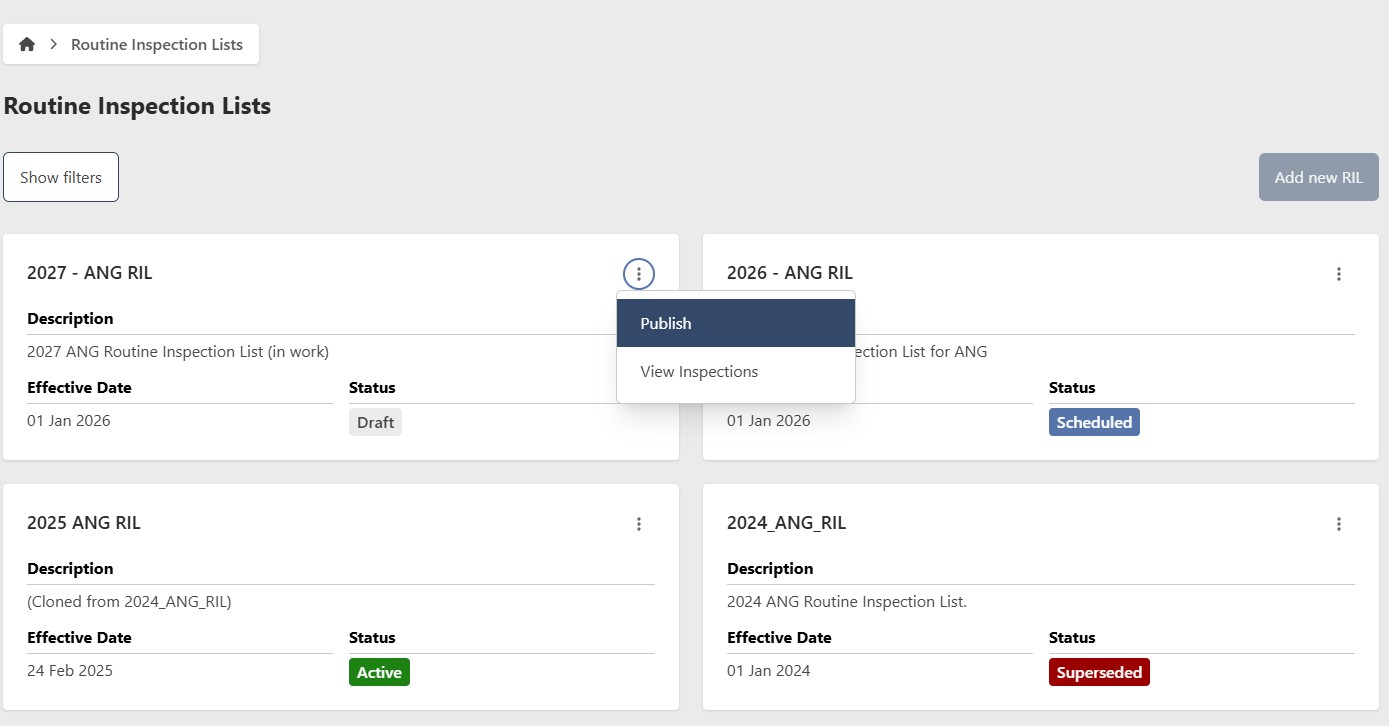
Now that you have created a RIL by either creating new or cloning and have completed entering all of your inspection requirements, you are ready to Publish the RIL. Publishing the RIL will lock it, preventing further modifications to the inspections. This action will also change the RIL's status to "Scheduled." A "Scheduled" status indicates that the RIL is prepared and will automatically become "Active" on its effective date. Once published, the wings will now have the newly created RIL available to build their E&I Plans.
If the RIL is not "Active," you can unlock it to make changes. Select "Unpublish" from the RIL contextual menu to return it to "Draft" status. This allows you to modify the inspections.
To publish the RIL, select “Publish” on the contextual menu of that RIL.