Dashboard Metrics
The home page shows a snapshot of your inspection work for the current period. The top of the page shows the period, for example Q4 (Oct - Dec) 2026, and a Live indicator. Tiles are grouped under Planned and Unplanned.
The period is a month or a quarter, depending on how your inspection plan is scheduled. It is not something you choose on the page.
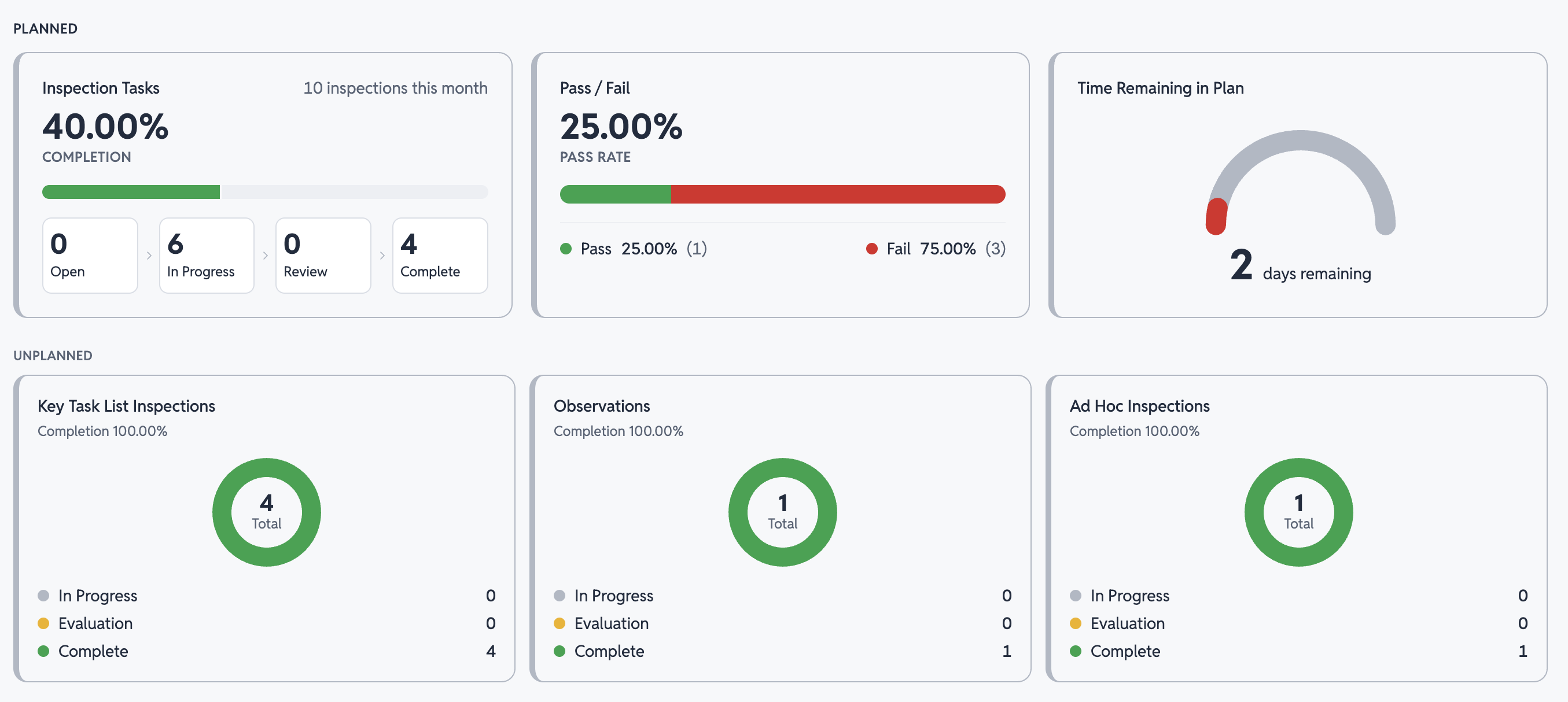
Planned inspections
The Planned row covers the inspection tasks scheduled in your plan.
Inspection tasks
This tile shows how far through the plan you are:
- Summary
- The total number of tasks in the period, for example "21 inspections this quarter" or "21 inspections this month"
- Completion
- The percentage of tasks in the period that are complete
- Progress bar
- Green for complete, red for missed, and gray for everything else
- Status counts
- How many tasks are Open, In Progress, in Review, and Complete
- Missed
- How many tasks ended the period without being completed. This badge appears only when there are missed tasks
- Pending
- How many tasks haven't started yet because they come due later in the period. This badge appears only when there are pending tasks
Completion counts every task in the period, including pending and missed tasks, so it rises as work gets done:
Completion = Complete ÷ all tasks in the period
For example, a plan has 21 tasks for the quarter. Two are complete, one was missed, and the other 18 are pending, open, or in progress. Completion is 2 ÷ 21, or 9.52%.
Pass and fail
This tile shows the pass rate: the number and percentage of completed tasks that passed and failed. Tasks that are still open or missed are not counted.
For example, if 10 tasks are complete and 8 passed, the pass rate is 80% and the fail rate is 20%.
Time remaining in plan
This tile shows how many days are left in the period.
Unplanned inspections
The Unplanned row covers work outside your inspection plan. Each tile shows a completion percentage, a donut with the total, and a count for each status.
- Observations
- Observations in the period, split into In Progress, Evaluation, and Complete
- Ad Hoc Inspections
- Ad hoc inspections in the period, with the same status breakdown
See Observations and Ad Hoc Inspections for how each moves through its statuses.