Ad Hoc Inspections
An ad hoc inspection is an unscheduled inspection conducted outside of the E&I Plan. Ad hoc inspections follow the same documentation and review process as scheduled inspections but are not tied to a planning period and do not count toward MSEP scoring.
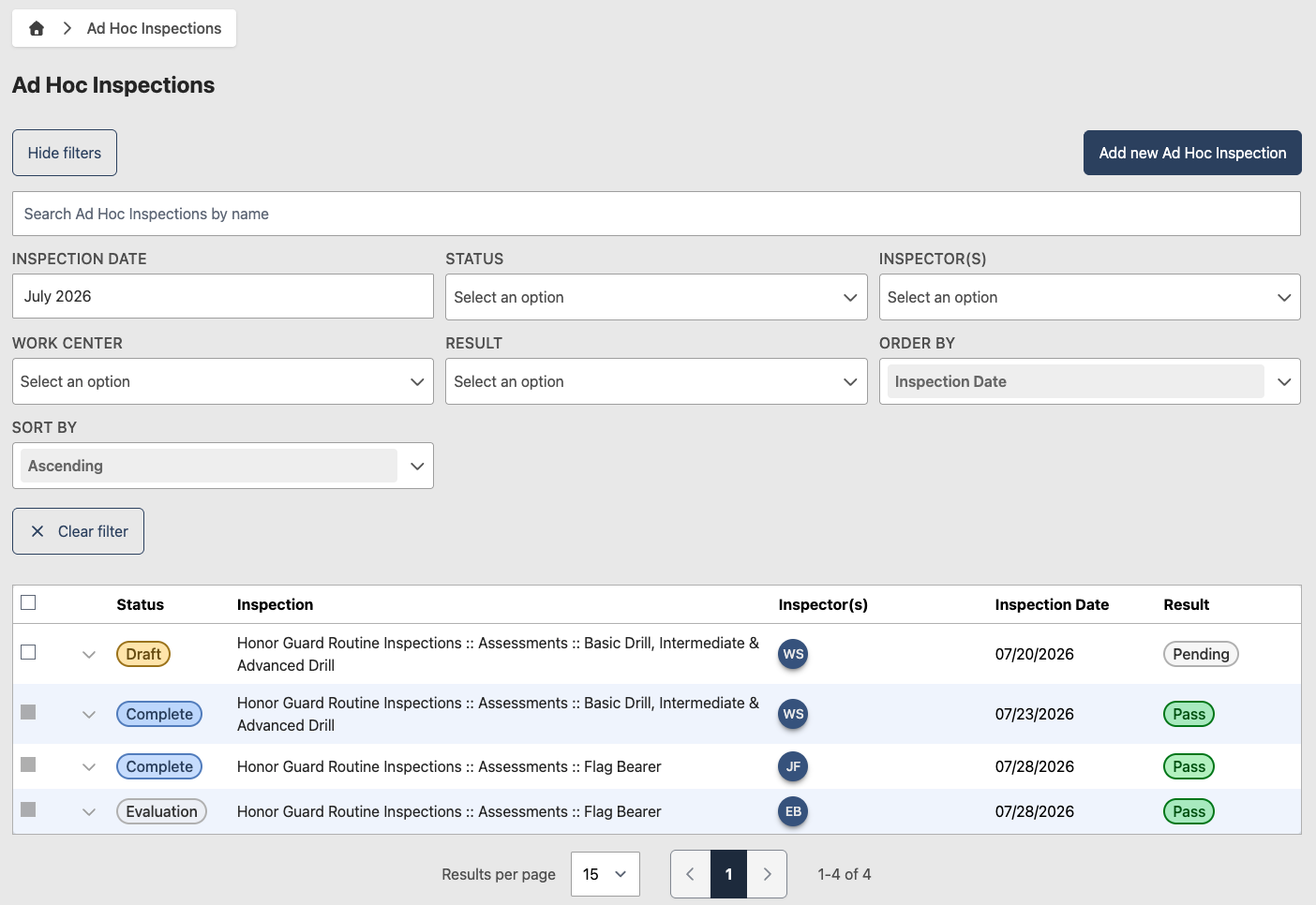
Add an ad hoc inspection
- Go to Inspections > Ad Hoc Inspections
- Click Add new Ad Hoc Inspection
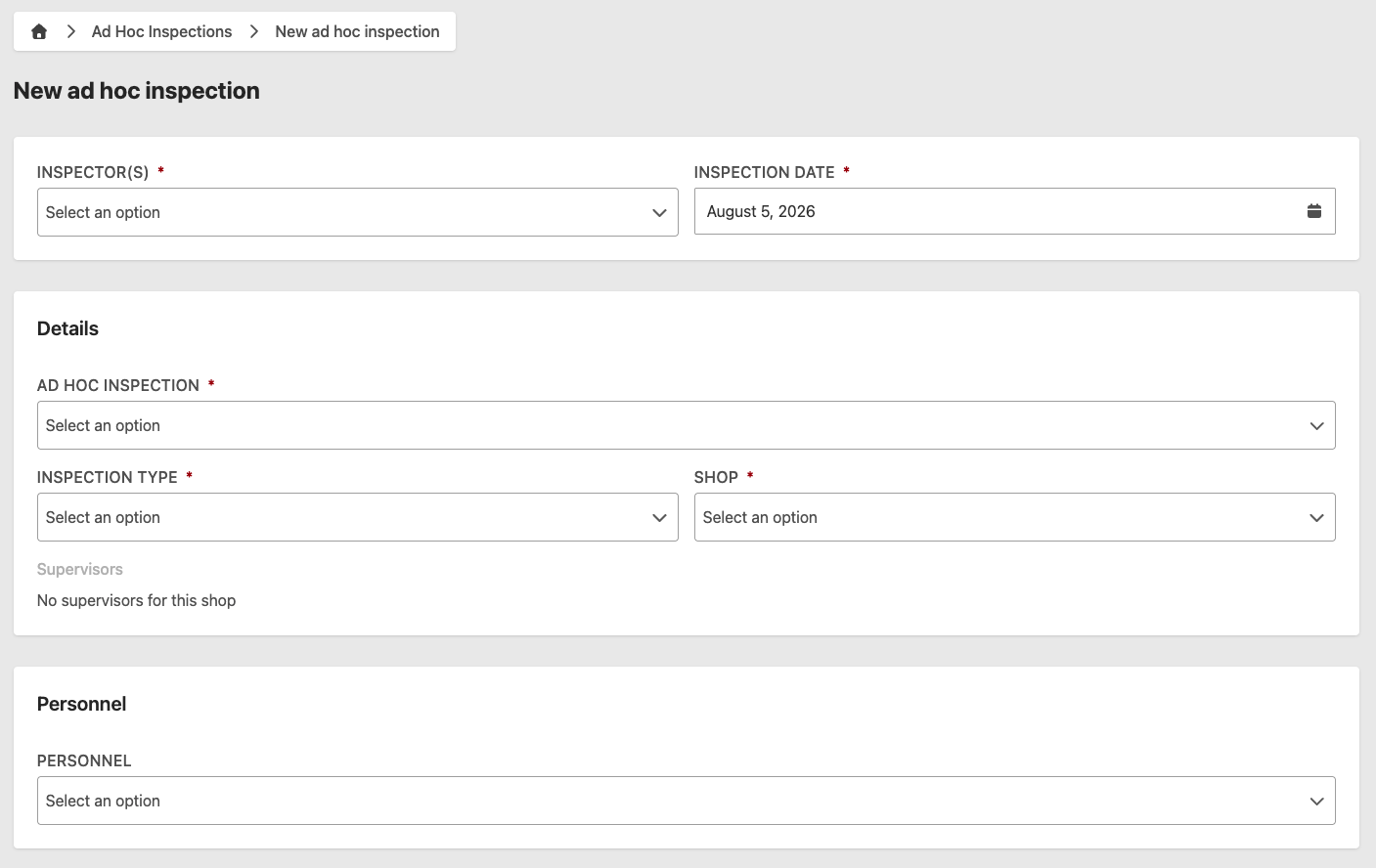
- Enter the following information:
- Inspector(s) (required) — inspector(s) conducting the inspection
- Inspection Date (required) — date the inspection was conducted
- Ad Hoc Inspection (required) — the inspection being conducted
- Inspection Type (required) — select the appropriate inspection type
- Work Center (required) — the work center being inspected
- Supervisors — populated automatically based on the selected Work Center
- Personnel (optional) — personnel involved in the inspection
- Equipment (optional) — any equipment involved
- Findings (optional) — add any findings discovered during the inspection
- Attachments (optional) — supporting files
- Comments (optional) — additional notes
- Click Send for Chief Inspector Evaluation to submit for review
To save your work and return later, click Save Draft instead.
If the selected Ad Hoc Inspection is ratio based, a Ratio-Based Inspection Details panel appears on the form. See Ratio-Based Inspections for details.
Ad hoc inspections are non-rated and do not count toward MSEP scoring. The outcome is automatically calculated based on findings — a CAT I finding results in an automatic fail.
Review an ad hoc inspection
This section applies to users with the Chief Inspector role.
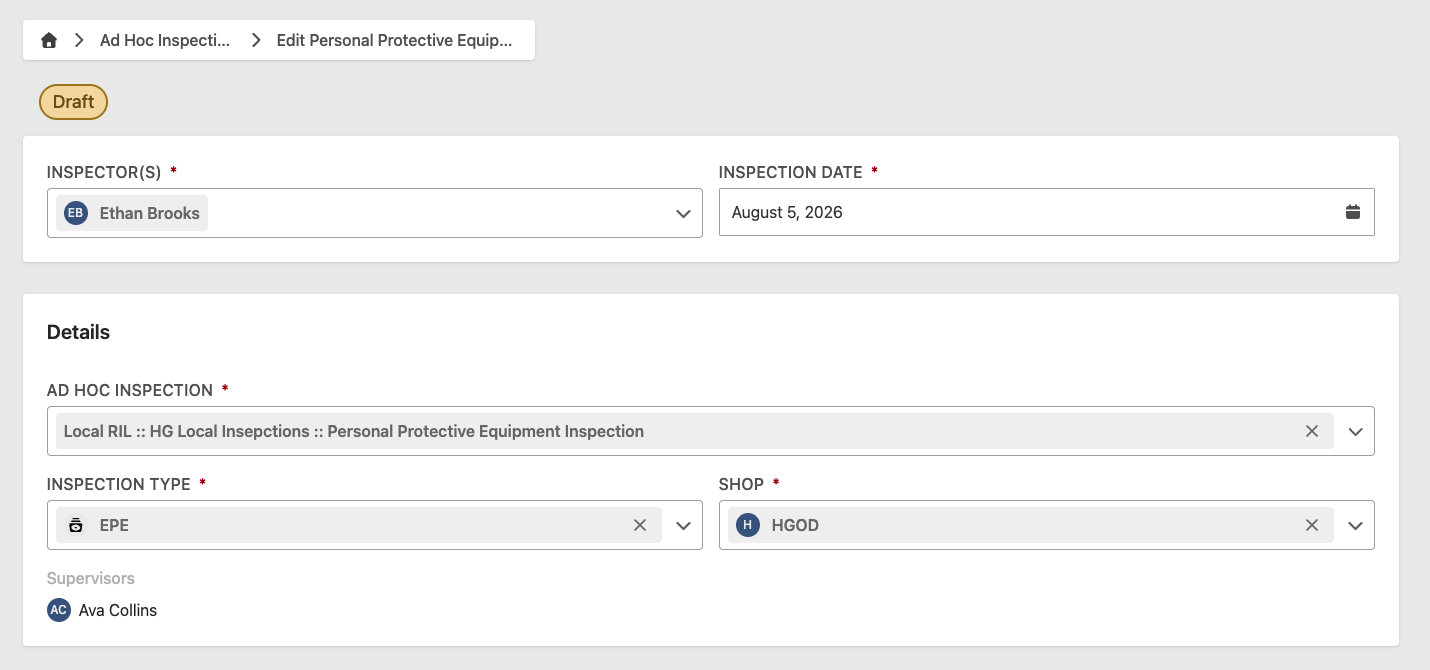
- Go to Inspections > Ad Hoc Inspections
- Select the inspection to review — inspections awaiting review will have an Evaluation status
- Review the inspection details, findings, and any comments
- Click Complete to finalize
A failed ad hoc inspection notifies the responsible Work Center's supervisors. See Notifications for details.
Marking an ad hoc inspection as Complete cannot be reversed.